Sort by eye.
Your agent sees it too.
A Mac library and an infinite board for the images you generate. Local, private, built to work next to AI agents.
macOS 14+ · Apple Silicon · free for non-commercial use
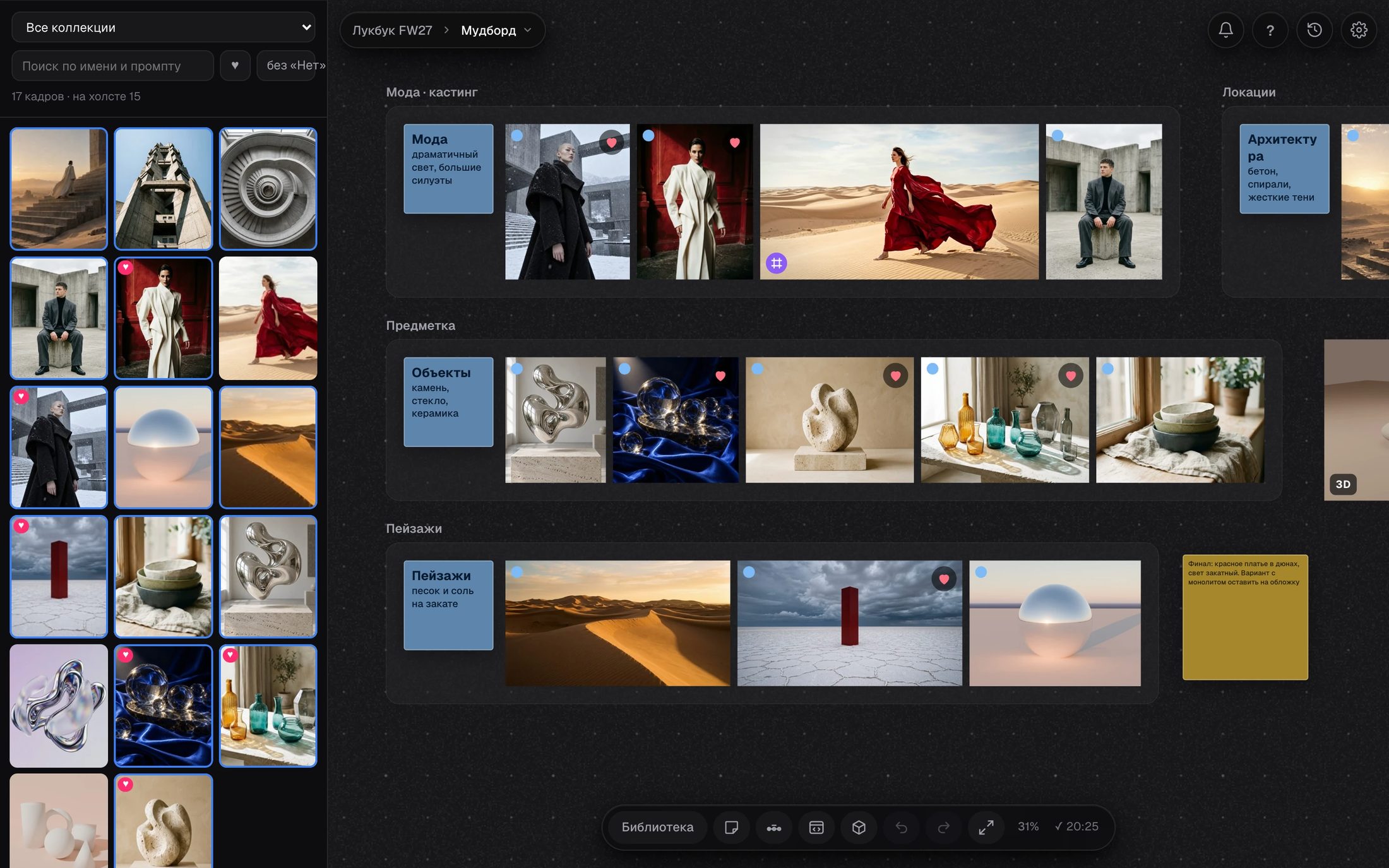
Library
Your own folders become collections. Hearts, tags, filters, and previews for video, PSD, TIFF, HEIC and SVG. Files stay where they are.
Infinite board
Groups, notes, titles, timelines, copies that point to the original, version history with undo. Videos play on the board.
Made for agents
Your agent reads the same board, knows what you selected and puts its next batch where you want it.
Install in two commands
The download is the source code. You build the app once on your own Mac, which takes a few minutes. A ready-made app is not published yet.
You need macOS 14 or later, the Xcode Command Line Tools and Python 3.10+ with Pillow.
Unpack the ZIP, open Terminal in the folder and run both. Hyimg lands in ~/Applications. Open it and connect a folder: each project keeps its own boards, history and settings.
Plugins
Frames
Frame Studio with layers, masks, a brush and Raw Editor. HTML pages as live frames.
3D objects
A 3D scene as a card, 3D Studio on three.js and a bridge to Blender.
Dev Studio
HTML files as cards, and an inspector that writes its changes into the file.
Hyimg works without them. Each plugin is its own repository, and the installer asks before it adds any.
One URL tells
your agent everything.
The board's state, the project's rules, the skills and the commands. An agent edits the board by names, never by writing its JSON.
Give your agent this
Paste it into Claude Code, Codex, Gemini CLI or any agent that can run a shell. It asks you about each plugin by name and installs one only after your yes.
Three doors in
hy.py
A command line that edits the board by names instead of coordinates. Pass --port on every call.
MCP server
The same operations as tools: guide, map, find, do, check, notify.
HTTP
/agent and /llms.txt on the board's port return what is open, the rules and the skills.
First commands
The port belongs to the person's open project. Use a port above 4191 and a throwaway library for experiments. scripts/active.py tells you what the person has selected right now.
Skills for Claude Code, Codex, Gemini CLI and Antigravity are in skills/. Reply only inside the person's comment thread, and send one notification per piece of work.